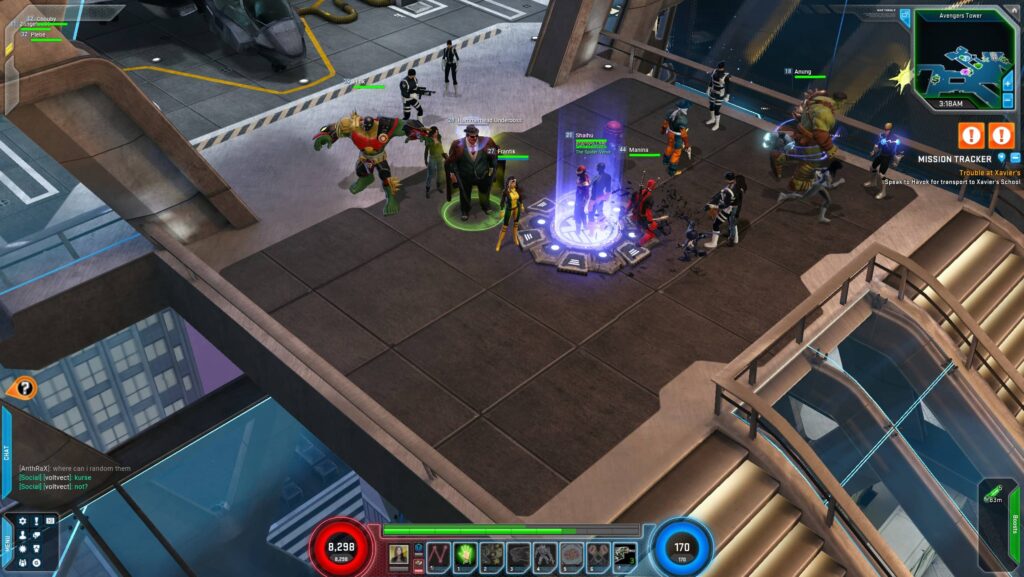
In 2017, Gazillion Entertainment had to pull the plug on Marvel Heroes Omega. I was a huge fan of this game from 2015 up until it was completely shut down, and it holds a special place in my heart as it was a fantastic free-to-play ARPG that had most of my favorites in it as playable characters.
It was an insanely generous game that offered so much content, and Marvel fans at the time were spoiled with how easily accessible and absolutely addicting it was. You didn’t even have to spend a dime to enjoy it. Well, here we are, almost a decade since the game officially shut its doors, and it’s (unofficially) back!
Through the efforts of the community (especially the people who worked on the emulator), there are now servers running a version of the game that’s working exactly like it did before it shut down. If you wanna try it out, read on to learn how you can get it running!
Method #1 – Former Steam Players
For people who used to play the game on Steam, you’ll still be able to install the game through the client. Just reinstall Marvel Heroes Omega and then right click -> Properties.
Under “General“, you’ll want to insert the correct launch parameters for your desired server. For this guide, I’ll be using Project T.A.H.I.T.I. as an example as that’s the server I’m playing on as well. Here’s what your launch options should look like:
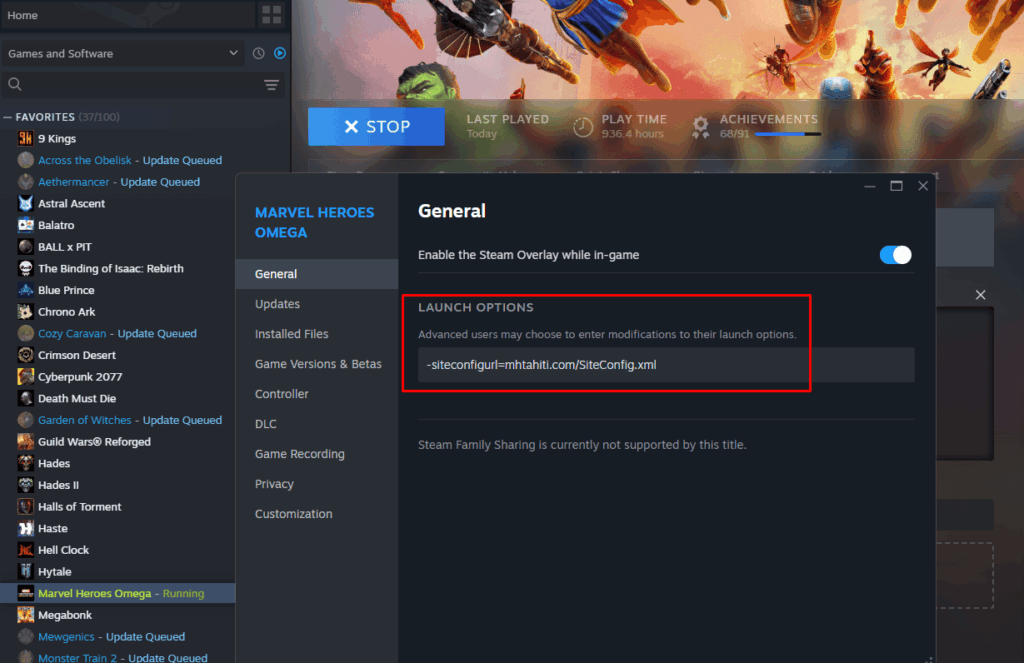
From there, just launch the game and log in with whatever account you made for the server of your choice. If you’d also like to play on Project T.A.H.I.T.I., you can create an account for their server through their website.
That’s all you need to do if you already have the game in your library. If this is your first time ever playing Marvel Heroes, move to the next section as it’s going to take just slightly more work!
Method #2 – Downloading From The Archives
If you’ve never touched the game before, you’ll need to get the game’s files from the Internet Archive, and this will require you to create an account on archive.org. Once that’s done, you can get the game’s files through this link. It’s uploaded by one of the people who worked on the emulator, if I’m not mistaken, and it’s the same one that the official subreddit recommends downloading.
Extract the game files wherever you want to store it. Ideally, you’ll want it in an SSD if you have one, but it’s not that big of a deal if you don’t. Next, get the TAHITI Bifrost launcher, which is Option 3 in the link I just shared.
Following the instructions from their website, you should create a “Tahiti” folder in the game’s directory. If you’ve been following along, your setup should look something like this now:
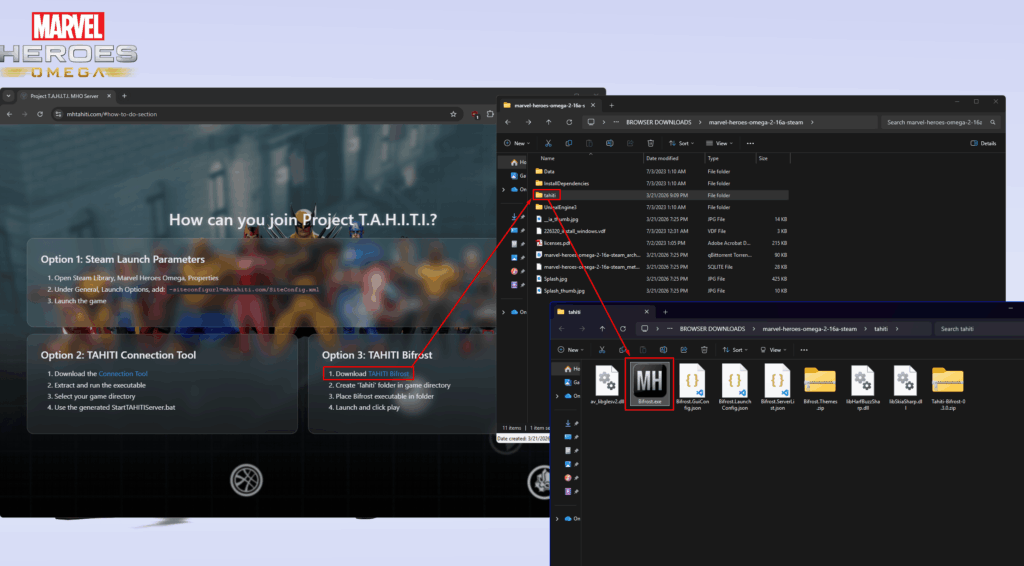
Once everything is in order, just launch Bifrost.exe to bring up the custom launcher. Click on the giant “PLAY” button and the game should start loading after a brief moment. From here, just log into the game with your Project T.A.H.I.T.I. account and enjoy the ride!
As far as I know, the server I used as an example is running close to vanilla rates (slightly boosted), so you’ll get a more forgiving version of what we used to experience back in the day. It’s active enough that you can sit for a while in the first hub area as Rogue and fill up more than half of the unlockable powers!
If you ever decide to play on the same server, you might see me around as “Frantik”. Feel free to say hi! Anyways, have fun!